New: See How Every Trade Affects Your Starting Lineup & League Rankings
announcement · feature · trades
Trade calculators show you who "won" on value, but not whether the trade actually improves your starting lineup or moves you up in the league rankings.
We added Lineup Impact and League-Wide Roster Impact to the trade calculator, two new sections that show how a proposed trade changes your lineup and your standing across the league.
The Problem
You're offered James Cook for Rome Odunze and a 2026 1st. The dynasty value says it's close. But what happens to your actual roster? Does Cook start? Who gets benched? And how does this affect where your team ranks league-wide, overall and at each position?
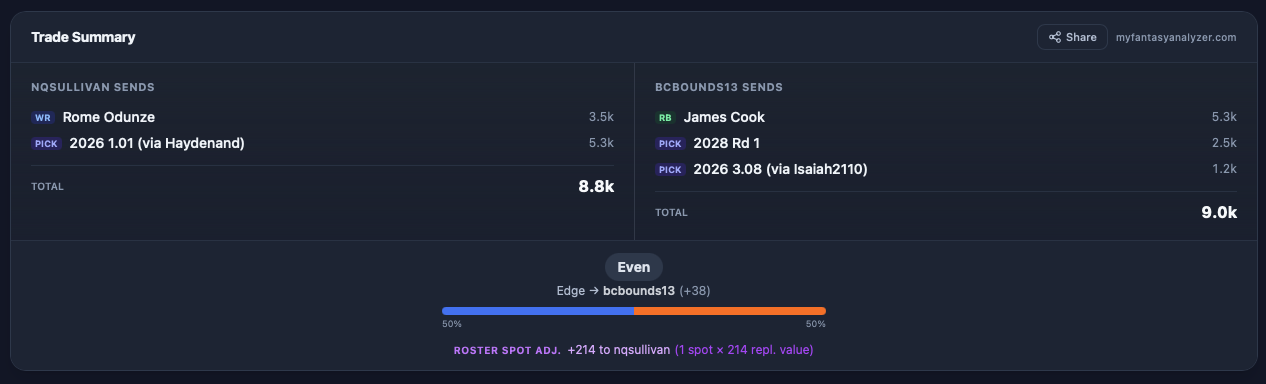
The old trade summary showed you the value gap, the verdict, and suggestions to balance the deal, but you had to manually work out the lineup consequences in your head.
Lineup Impact
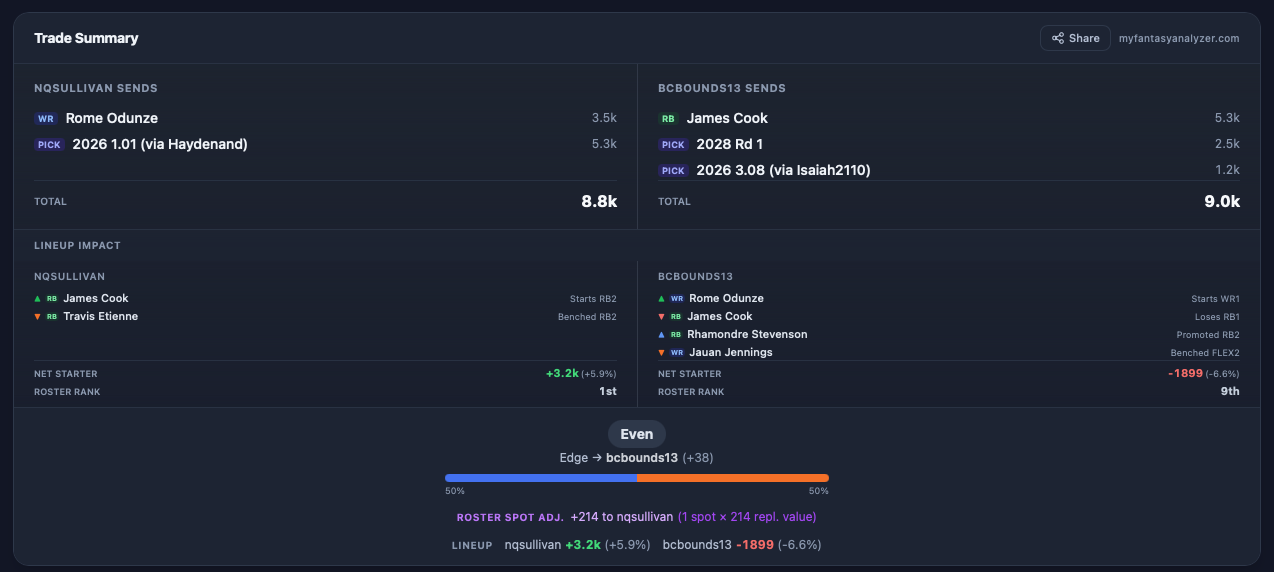
The Lineup Impact section answers all of those questions automatically. For every team in the trade, it runs your league's actual roster settings through our lineup optimizer and shows:
- Starter Gains: players you acquire who crack your starting lineup (e.g., "▲ James Cook, Starts RB2")
- Starter Losses: starters you're trading away (e.g., "▼ Rome Odunze, Loses WR1")
- Promotions: bench players who move up to fill an opened slot (e.g., "▲ Rhamondre Stevenson, Promoted to RB2")
- Demotions: current starters bumped to the bench by an incoming upgrade (e.g., "▼ Travis Etienne, Benched")
Plus a Net Starter Value with percentage change and a Roster Rank showing your position among all league teams, so you can see whether this trade moves you up or down.
League-Wide Roster Impact
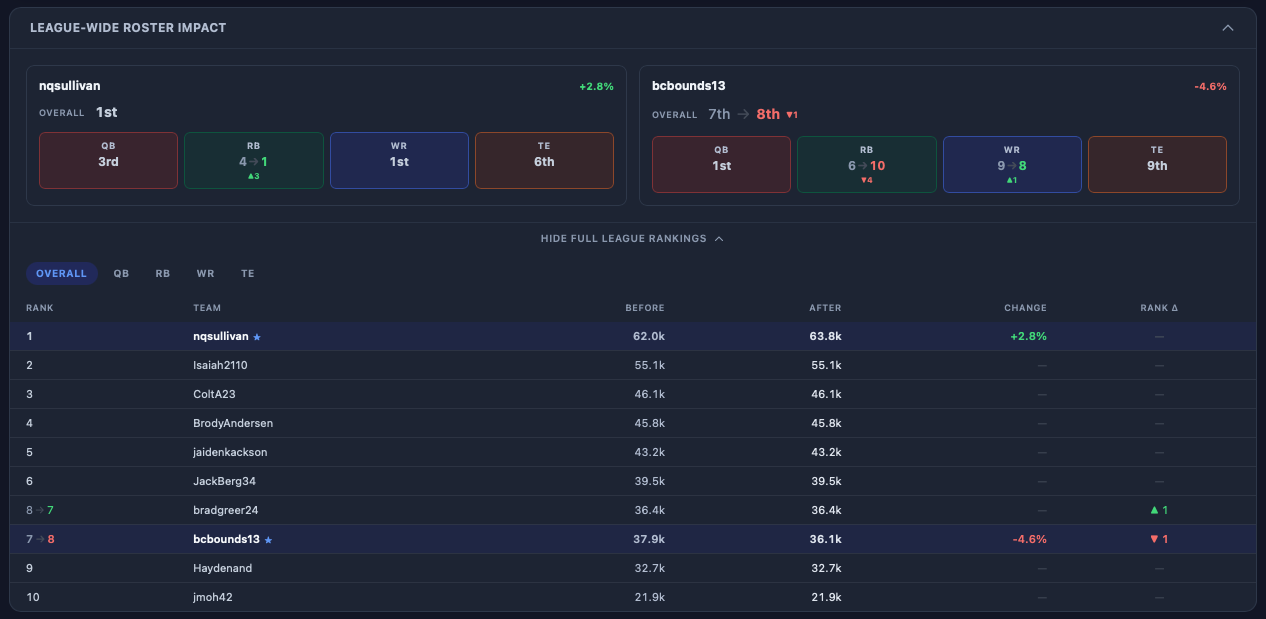
Below the trade summary, the new League-Wide Roster Impact section shows the bigger picture. For each trade team, you get a rank card showing:
- Overall rank: your total roster value rank before and after the trade, with the direction and magnitude of the change
- Positional rank pills: at-a-glance QB, RB, WR, and TE rankings showing where you stand at every position
- Percentage change: how much the trade moves your overall roster value up or down
Expand the full league rankings table to see every team ranked side-by-side with before/after values, percentage change, and rank deltas. Use the position filter to switch between Overall, QB, RB, WR, and TE views.
How It Works
Under the hood, Lineup Impact uses the same greedy lineup optimizer that powers our draft grading and lineup efficiency stats. It fills positional slots first (QB, RB, WR, TE), then flex slots, respecting your league's exact roster configuration including superflex.
For each team, we build the optimal lineup before the trade and after the trade, then diff the two lineups to find every change. This catches cascading effects that aren't obvious: trading away a WR might promote a bench WR into the WR3 slot, which then opens a FLEX spot for a different player entirely.
League-wide rankings compute total dynasty value by position across every team in your league, so you can see ripple effects, like how trading away a player might bump another team's positional rank.
Try It Now
Open the Trade Calculator in any league dashboard, build a trade, and see the Lineup Impact and League-Wide Roster Impact appear automatically. It works for 2-team, 3-team, and 4-team trades.
Build a trade and see where you stand, overall and at every position.